Craft CMS Versions & End-of-Life Dates
Every Craft CMS major version, when its support ended, what end of life actually means for your site, and how to check which version you're running right now.
Dates checked against Craft's supported versions and requirements pages and php.net.
Craft CMS 5 is the current supported version. Craft 6 is in alpha, targeted for Q4 2026. Craft CMS 4 reached end of life on April 30, 2026, and gets no security patches. Craft 3 and 2 are also end of life. Each major release gets at least two years of active support, then about a year of security fixes.
Still on Craft 3 or Craft 4?Get an upgrade quote
The support lifecycle
Every major Craft version moves through three phases:
Active support — at least two years. New features, bug fixes, and security patches.
Security-only — roughly one more year. Critical security fixes where possible. No features, no general bug fixes.
End of life — nothing. No updates of any kind, including security patches.
Version timeline
| Version | Released | Active support ends | End of life | Status |
|---|---|---|---|---|
| Craft 6 | Alpha; release targeted Q4 2026 | — | — | Upcoming |
| Craft 5 | March 2024 | December 31, 2030 | December 31, 2031 | Supported |
| Craft 4 | May 2022 | April 30, 2025 | April 30, 2026 | End of life |
| Craft 3 | April 2018 | April 30, 2023 | April 30, 2024 | End of life |
| Craft 2 | April 2014 | January 31, 2020 | January 31, 2022 | End of life |
Dates are from Craft’s supported versions page, which is the source to check if you’re reading this later.
Craft 5 is where you want to be. It’s the current supported release and the only supported path to Craft 6.
What end of life actually means for you
The important thing to understand is that nothing visible happens on the date. Your site doesn’t shut off or display a warning. It works exactly as well on May 1st as it did on April 30th.
What changed is invisible: the flow of security patches stopped.
Here’s how that plays out in practice. A researcher finds a vulnerability in a version of Craft. It gets disclosed publicly, along with enough detail for anyone to understand it. On supported versions, a patch ships and maintained sites get it within days. On end-of-life versions, no patch exists — and automated scanners start probing the entire internet for sites matching that fingerprint within days of disclosure.
So the risk isn’t that your end-of-life site is currently compromised. It’s that you’ve opted out of the only mechanism that would protect you when the next disclosure lands, and you have no way to know when that will be.
There’s a second, quieter cost. Old Craft pins you to old PHP, and hosts eventually force PHP upgrades on their own schedule. When that happens, your carefully deferred upgrade stops being your decision and becomes an emergency with a deadline somebody else set.
The PHP clock runs separately
Craft runs on PHP, and PHP versions have their own end-of-life dates. A site can be on a supported Craft version and still run on a PHP version that no longer gets security fixes.
| Craft version | Minimum PHP | What that means today |
|---|---|---|
| Craft 5 | PHP 8.2 | PHP 8.2 security support ends December 31, 2026. Plan a move to PHP 8.3 or newer. |
| Craft 4 | PHP 8.0.2 | PHP 8.0 reached end of life in November 2023, and 8.1 on December 31, 2025. |
| Craft 3 | PHP 7.2.5 | Every PHP 7 release is past end of life. |
PHP dates are from php.net’s supported versions and end-of-life pages.
The first row catches people out. If your Craft 5 site went live on PHP 8.2, it’s current on Craft and two months from unsupported PHP. Moving up a PHP version on Craft 5 is usually small work: check that every plugin supports the new version, test on staging, then switch.
How to check your version
The fastest route: log into your control panel at yoursite.com/admin and scroll to the bottom of any page. The footer shows the Craft edition and version number. You can also find it in the Utilities section.
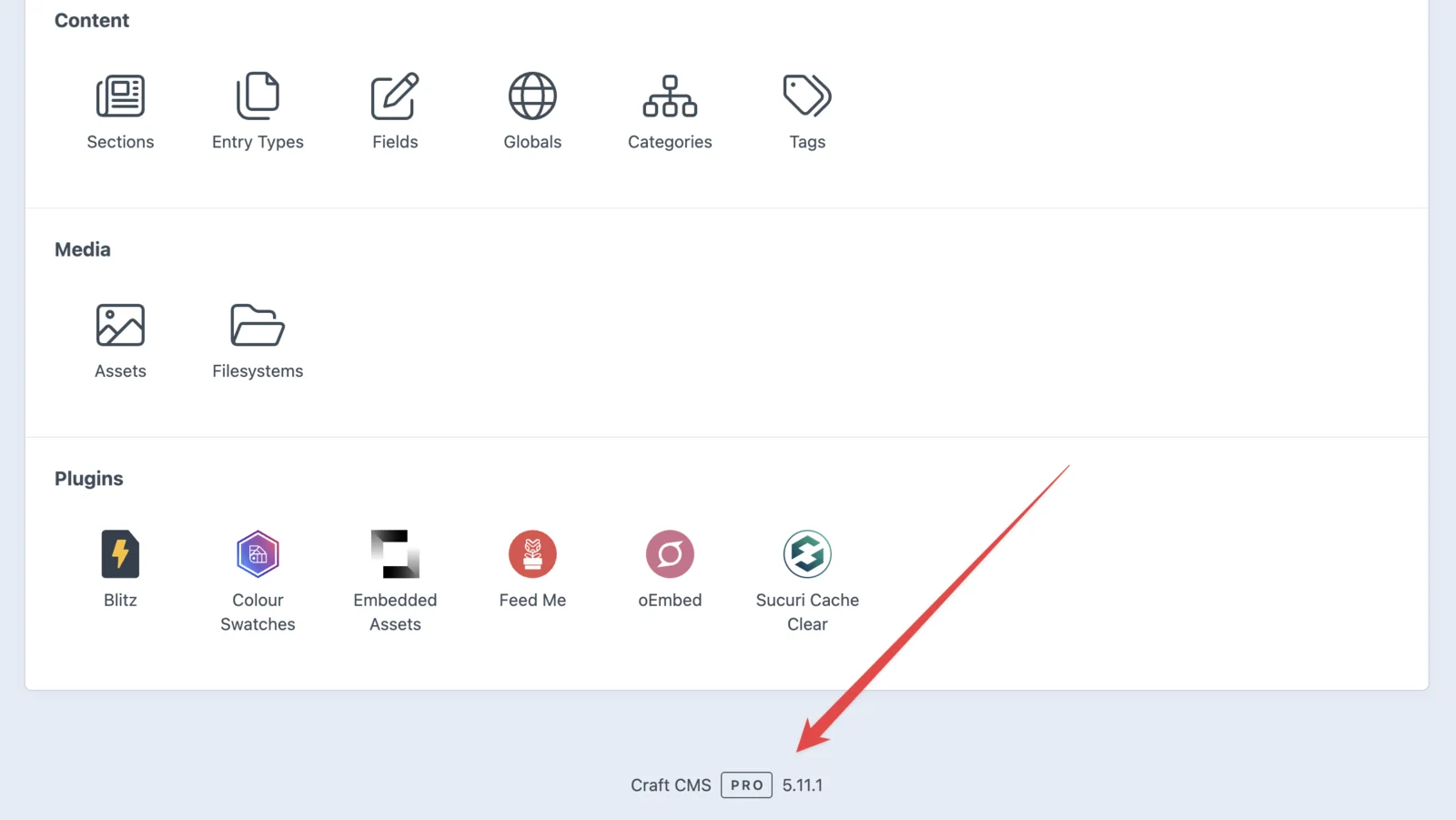
The first number is the major version. Anything starting with 5 is supported (and 6, once it ships); 4, 3, or 2 is end of life.
If you have the code, the version is also in composer.lock. From the project folder, run:
composer show craftcms/cmsThe versions line shows the installed Craft version. On the server, php -v tells you which PHP version is running it.
If you can’t log in, ask your developer or host — it takes them under a minute. And if nobody can give you a straight answer, that’s not a communication problem, that’s the finding. A site whose version nobody knows is a site nobody is maintaining.
What to do about it
If you’re on Craft 5: you’re current. Keep the license renewal active and make sure someone is applying updates as they ship, so Craft 6 is a routine update rather than a project.
If you’re on Craft 4: you’re past end of life and running unpatched software today. Craft 4 to Craft 5 is a manageable upgrade — typically two to four weeks — that keeps your templates and content model intact. No redesign needed.
What actually changes from Craft 4 to 5:
- Server requirements go up. Craft 5 needs PHP 8.2 or newer and MySQL 8.0.17+, MariaDB 10.4.6+, or PostgreSQL 13+. Craft 4 allowed MySQL 5.7, so the database often has to move too.
- You upgrade from the latest Craft 4. The site has to be on the final Craft 4 release, with deprecation warnings cleared, before the jump.
- Matrix blocks become entries. Craft 5 converts Matrix block types into entry types. Content comes across, but templates that reference block types or
craft.matrixBlocks()need updating. - Every plugin needs a Craft 5 version. Craft’s Upgrade utility lists which ones have one. Plugins that never made the jump get replaced.
- The database charset gets converted. Craft’s upgrade includes converting MySQL tables to its current charset, which is routine but needs a rehearsal on a large database.
Craft’s upgrade guide has the full steps.
If you’re on Craft 3: same conclusion, more steps. It’s a two-step migration through Craft 4, usually four to eight weeks, with the bulk of the work in Matrix field restructuring and replacing plugins that never made the jump.
If you’re on Craft 2: be prepared for the honest answer to be a rebuild with a content migration. The upgrade path technically exists, but it often costs more than starting fresh and ends in the same place. Your content still comes with you.
The cost gap between these options widens every year you wait, because each additional version of drift adds work. An upgrade you postpone doesn’t stay the same size.
Getting it done
We upgrade Craft sites as fixed-price projects: audit first so the number is real, staging environment so nothing gets tested on your live site, plugin-by-plugin compatibility review, and a rehearsed cutover scheduled outside your business hours with a written rollback plan.
Get an upgrade quote, or if you’d rather never be in this position again, maintenance clients get updates the month they ship — which is the entire point of a plan.
Still wondering?
What happens if I keep running an end-of-life version of Craft CMS?
The site keeps working, but no more fixes come. When a vulnerability is published, no patch is coming for your version, and published vulnerabilities get scanned for at scale within days. Nothing happening yet only means nobody has gotten around to you.
How do I check which version of Craft CMS I'm running?
Log into your control panel (usually yoursite.com/admin) and scroll to the bottom of any page. The footer shows the Craft edition and version, for example Craft CMS Pro 5.11.1. If you can't get in, your developer or host can tell you quickly. If nobody can answer, that's the finding.
Can I skip a major version when upgrading Craft?
No. Craft upgrades move through major versions in order, so you can't jump from Craft 3 straight to Craft 5, or from Craft 4 to Craft 6 when it ships. Getting current now makes the next upgrade routine instead of another project.
Does my Craft license renewal affect version support?
They're two separate clocks and it's worth keeping them straight. Your annual license renewal determines whether you can receive updates. The version support timeline determines whether updates exist to receive. A current renewal on an end-of-life version buys you nothing, because there's nothing being published.