Visibility across a precision machine shop.
MCF Corp's manufacturing floor runs high-precision equipment: Citizen, Doosan, Hitachi, and Okuma lathes and mills, plus saws, thread rollers, and second-ops gear. Operators, continuous improvement, and leadership needed one place to see what each machine was doing, prove preventive maintenance happened, and plan capacity across work areas.
CraftMulti-sitePower BI
At a glance
At a glance
- 01 / On the floor
- 2020
- Live on the floor since March 2020.
- 02 / Machines
- About 40
- machines tracked across turning, milling, and second ops.
- 03 / Modules
- 3
- OEE, preventive maintenance, and job forecasting.
- 04 / Hours
- Thousands
- of hours saved.
05 / Power BIConnectors for shop KPIs MCF owns.
The challenge
A precision shop lives and dies on machine time.
When job history, downtime reasons, and PM compliance live in separate habits, those questions stay hard.
Floor visibility
Which machines are productive today, and what stopped the ones that aren't?
PM proof
Did every asset get its checklist, including machines that sat quiet?
Capacity planning
Can this work area take another job without slipping dates?
BI reuse
Can Power BI use the shop's real calculations instead of rebuilding them from spreadsheets?
MCF's BI team also runs Microsoft Power BI for shop performance, so the application needed to own the floor logic once, with a connector into Power BI.
What we built in Craft CMS
Three modules, one Craft application.
We built that application as its own Craft CMS site beside MCF's marketing site. Operators use it on the floor. Analysts pull from it into Power BI. The same team that looks after the public site keeps the manufacturing app current.
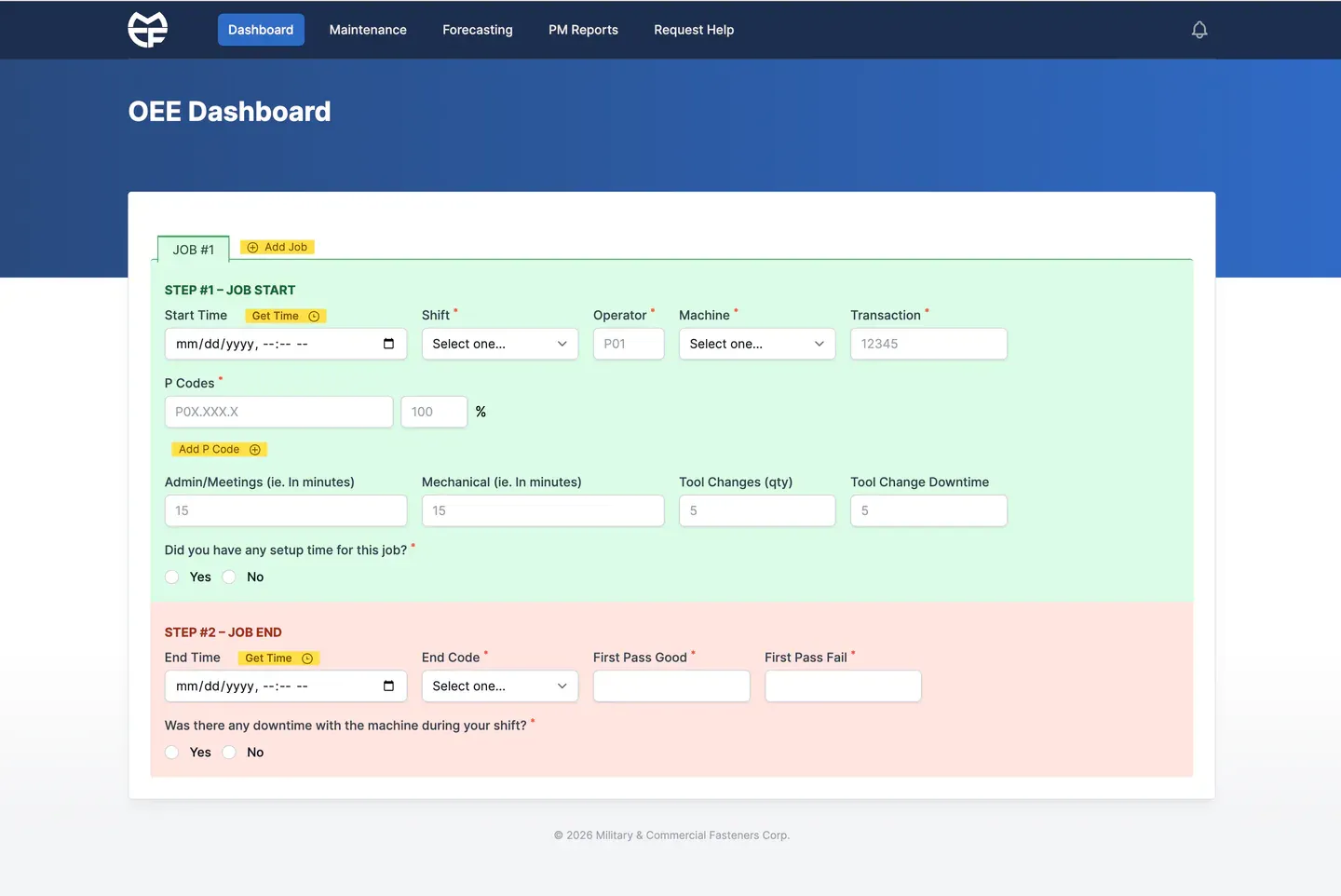
OEE job logging on the floor
Operators log job start and end per machine and shift: setup, tool changes, first-pass quality, and downtime by reason. One session can hold several jobs across a fleet of about forty assets in turning, milling, and second ops.
A connector feeds OEE history into Power BI, so analysts can refresh it without hand exports. As of late 2026, MCF was working with roughly ten thousand OEE records spanning a few years of shop history.
01 / OEE · Job log Preventive maintenance
Daily per-machine PM checklists and a yearly PM log sit in the same application. Monthly and yearly reports show pass and fail by machine and day, and print cleanly for PDF. A nightly job records every machine nobody ran that day as unused, so a quiet day doesn't open a hole in the compliance trail. QR codes and a Request Help form support the floor when something needs attention fast.
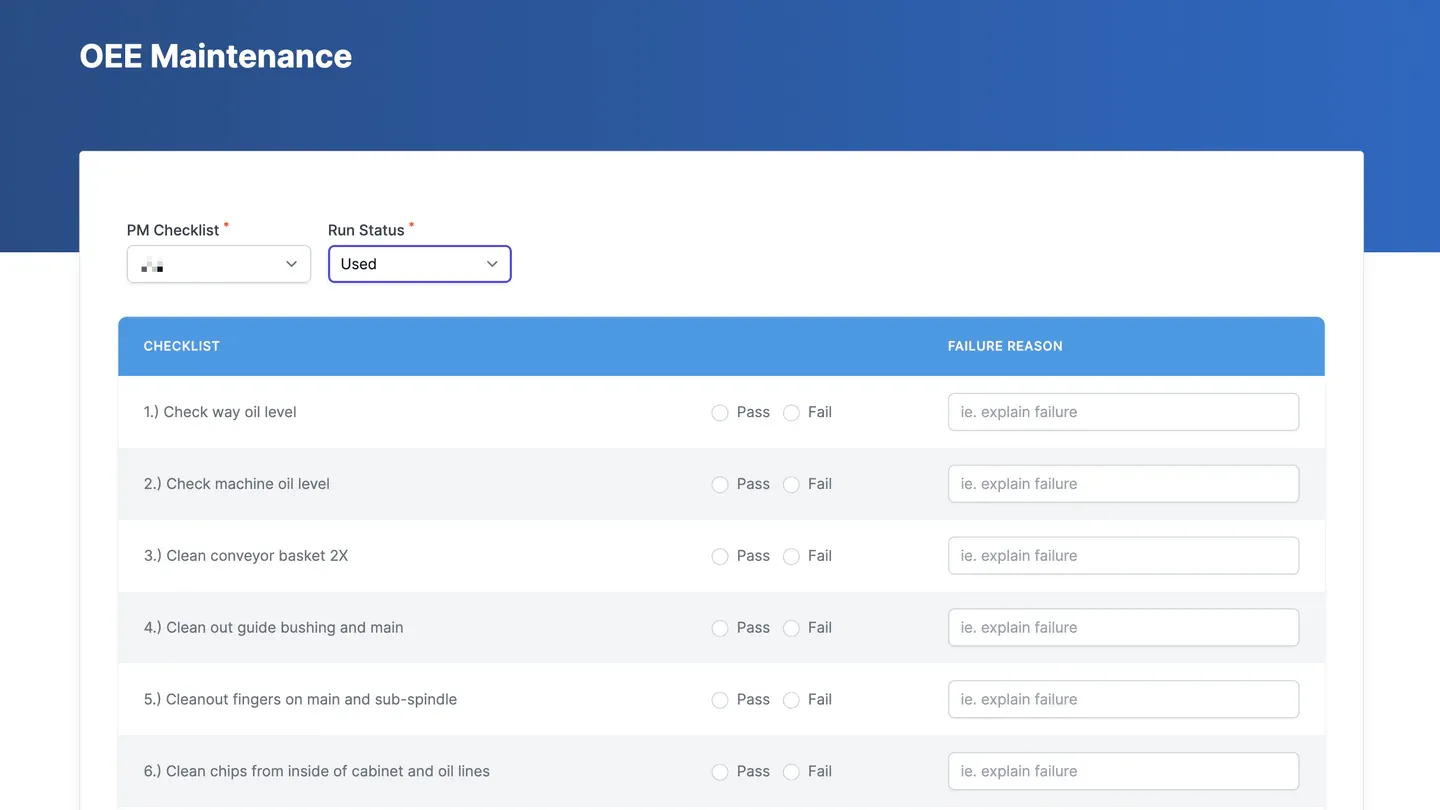
02 / Preventive maintenance · Daily checklist 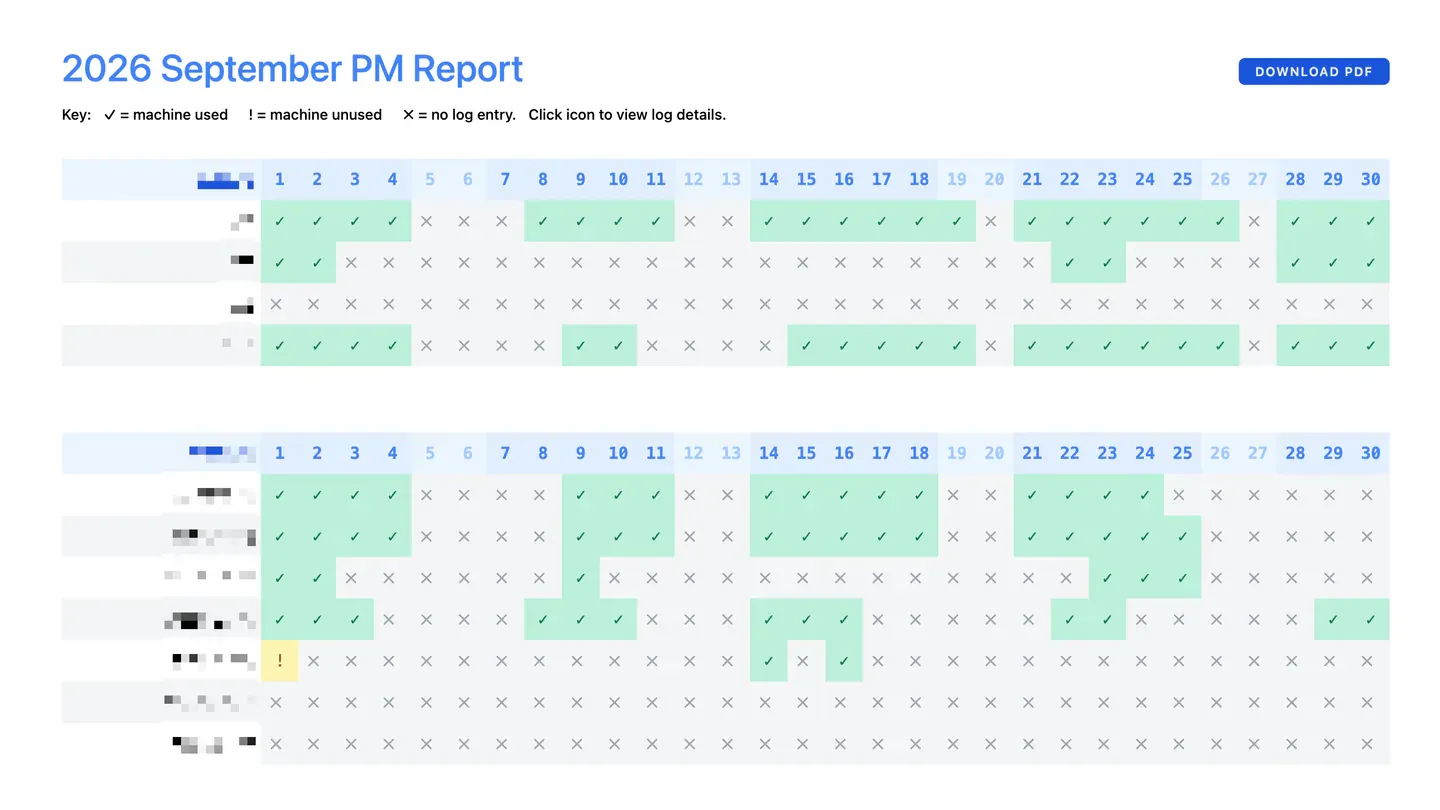
03 / Preventive maintenance · Monthly report Job forecasting
The forecasting view lays queued work across work centers on a Gantt-style timeline. It spreads jobs using man-hours, setup defaults, weekends, and blackout periods, and it surfaces on-time versus expected dates, on-time percentage, and work-area availability.
In 2025 we added a connector for the forecasting timeline. MCF's BI analyst used it for Power BI dashboards including MFG Shop Performance and an MFG On Time Start KPI, building on the application's calculations instead of recreating them from scratch.
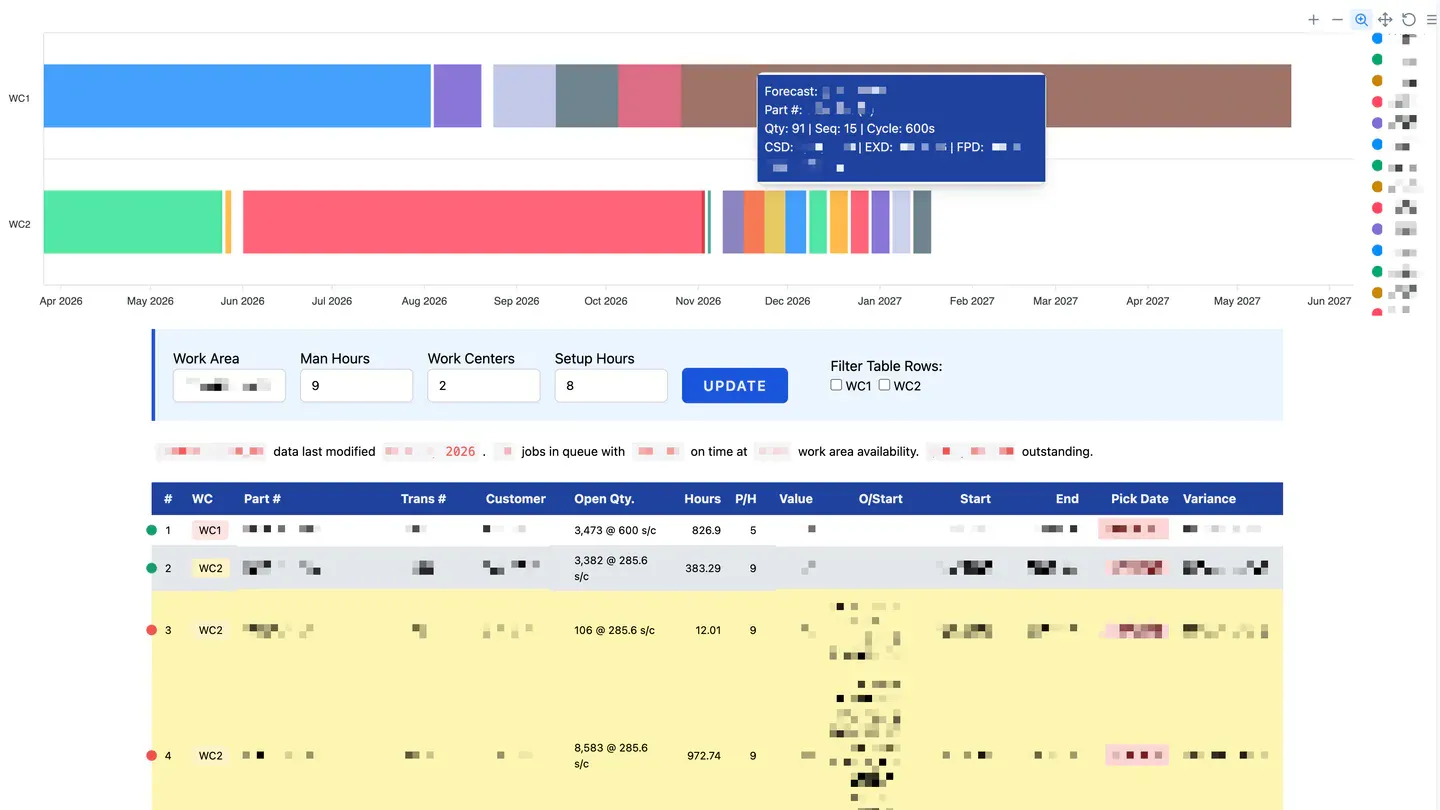
04 / Job forecasting · Gantt and job queue
How it fits the rest of their stack
One Craft install, three sites.
Marketing edits the website. Manufacturing logs the floor. BI models performance. We stay on care for the application and the sites around it.
 MCF Corp
Craft CMS · One install
- Marketing sitemcfcorp.com
- Manufacturing appmcfcorp.com
- Supplier portalPower BI
The results
The results
Thousands of hours saved
Still on the floor.
The manufacturing site and OEE log have been in production since March 2020. Six years later, MCF is still requesting new shop-floor features, including a maintainable machine list and a shop status map.
Feeds the business.
Connectors feed OEE and forecasting data into Power BI models MCF owns, with shop performance and on-time-start reporting built on the application's calculations.
Capture, maintenance, and planning in one place.
Job history, PM compliance, and capacity forecasting live in the same Craft application operators and planners already open.